
Your Google Business Profile may be the first thing a homeowner sees before they ever visit your website. They can compare your hours, photos, reviews, and location directly in the search results. If those details are incomplete or misleading, a good website cannot fully make up for the confusion.
Google Business Profile optimization is not a trick for jumping above every competitor. It is the ongoing work of keeping your listing accurate, useful, and connected to the business you actually run. Google says local results are mainly based on relevance, distance, and prominence. You can improve the information you provide, but you cannot purchase a better organic local ranking from Google or erase the effect of distance.
This checklist is written for home service businesses around York, Harrisburg, Lancaster, and Pittsburgh. Whether you run plumbing crews or a small HVAC company, start with the basics below before paying someone to promise a number-one position.
1. Confirm that you control the listing
Before changing photos or writing descriptions, make sure your business can access the profile. Identify who owns it, who has management access, and which account your company uses. An old employee or former agency should not be the only person able to update your hours or respond to a review.
Use the access roles Google provides rather than sharing one password with everyone. Protect the owner's account with strong security and maintain a recovery method your business controls. If an agency helps you, give it appropriate access without handing away long-term ownership. Keep a simple internal note explaining where the listing is managed.
If the profile is unverified, follow the verification method Google offers for your business. The available method can vary. Do not buy a supposedly verified account or create a duplicate profile because verification is inconvenient. If you discover an existing listing, resolve ownership through Google's documented process instead of starting a competing version.
2. Use your real business name and appropriate categories
The name on the listing should represent your business as it exists in the real world. Adding strings of service keywords and town names to the name field is not a sound marketing plan. Check that your website, signage, invoices, and profile describe the same business. If you rebrand, handle the change consistently rather than switching names only on Google.
Choose a primary category that closely describes your main business. A plumbing company should not select unrelated categories just because they might attract extra searches. Secondary categories can be helpful when they describe work you actually perform, but they should not become a wish list of services you hope to offer someday.
Review categories when your business changes, not every time a competitor appears above you. Search positions fluctuate and depend on the searcher's location. Repeatedly changing core information without a real business reason makes it harder to maintain an accurate record. Start with what is true, then improve the supporting details.
3. Get the address and service-area setup right
A storefront and a service-area business are not the same thing. If customers do not visit your business address and you travel to them, follow Google's service-area rules, including hiding the address where required. Do not advertise a private home as a walk-in location simply to make the profile look more established.
If you have a genuine customer-facing location, keep the address precise and confirm that visitors can actually reach you there during the hours shown. A rented mailbox or an address used only for marketing is not a substitute for an eligible business location. Consult Google's guidelines before making assumptions about shared offices or additional branches.
Set service areas that reflect where your crews work. A York company might serve nearby communities and parts of neighboring counties, but that does not automatically make it a Pittsburgh business. Listing additional towns does not move your location or guarantee visibility there. Your website coverage, scheduling decisions, and profile should tell the same story.
4. Make hours and customer contact details dependable
Check regular hours, holiday hours, website links, and the contact information customers use. A wrong closing time can create a bad first impression even if your work is excellent. When a holiday approaches, update special hours rather than relying on a social media announcement that profile visitors may never see.
Separate office availability from emergency service if your operations require it. Only claim round-the-clock availability when your business genuinely provides it in the way customers would understand. An unanswered request sent at midnight is not the same as an available emergency technician. Describe your process honestly on the linked website.
Test every link from the customer side. Confirm that the website loads on a phone, any appointment link goes to the intended page, and an inquiry can be completed. If you use a third-party booking service, check its availability and confirmation language too. Accuracy is not just filling out fields; it is making sure the promised next step works.
5. Write service information that helps a buyer decide
Use the services section to explain the work you do in language customers recognize. Furnace repair, drain cleaning, or air conditioning maintenance is easier to understand than a vague promise of complete solutions. Include accurate service details and leave out unrelated work. Your profile should not read like a keyword list copied from a competitor.
The business description can give a concise overview of your company, customers, and service area. Avoid unsupported claims such as being the most trusted or highest rated. A straightforward description of what you do and how customers can arrange help is enough. Keep detailed technical explanations on the relevant website pages.
Connect the profile to a useful page on a working website. Visitors should see consistent identity, service information, and a clear way to reach you. If the profile describes heating repairs but the landing page only talks about installations, the handoff is confusing. Review the profile and destination together rather than treating them as separate marketing projects.
6. Add ordinary photos of your actual business
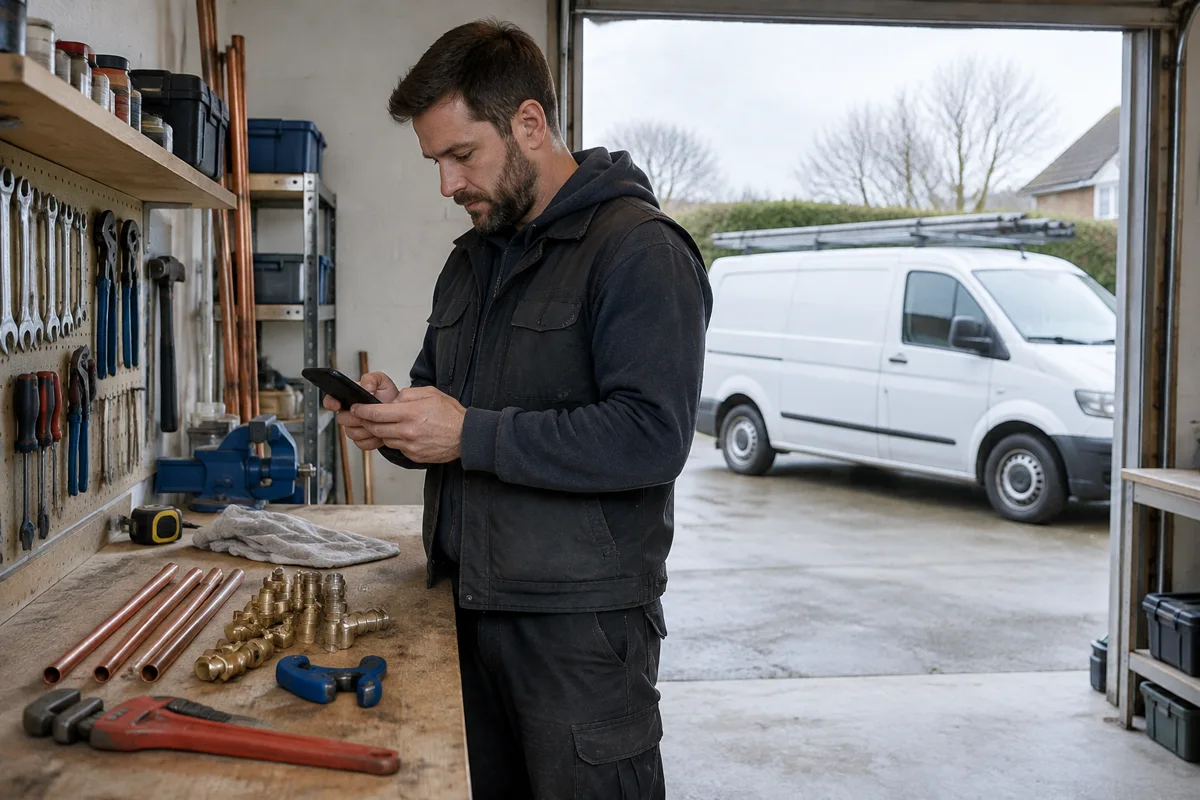
Customers want to know who may arrive at their house and whether the business looks legitimate. Real photos of your team, vans, tools, or completed work can answer those questions. They do not need dramatic lighting or a professional production crew. A clear, well-framed photo from an ordinary workday is often the right choice.
Get permission before showing a customer's home, identifying details, or anyone who has not agreed to appear. Check images for addresses, paperwork, license plates, and other information you should not publish. A jobsite photo can be useful without revealing the homeowner's private details or presenting an unsafe working practice.
Do not upload generated images as proof of jobs your company completed. Illustrations can have a place in educational content, but a business profile should give an honest view of the real operation. Update your selection when the team, vehicles, or premises change. There is no need to invent a daily photo quota.
7. Build an honest review request process
Ask customers for feedback after a genuine interaction, using a process your team can repeat. A simple follow-up message with the correct review link is easier to maintain than an elaborate campaign that nobody remembers to send. Explain that feedback is welcome, not that a positive rating is expected.
Google prohibits incentives for reviews and selectively soliciting positive reviews. Do not offer a discount for a five-star rating, ask employees to pose as customers, or send only happy customers to Google while filtering everyone else into a private form. Honest criticism can be uncomfortable, but manipulating the process creates a bigger trust problem.
Respond professionally without revealing private job details. Thank people for useful feedback, acknowledge concerns, and offer an appropriate way to continue the conversation privately. Avoid arguing or making promises you have not discussed internally. Reviews and replies help customers judge the business, but no fixed number guarantees a ranking position.
8. Maintain the listing without chasing busywork
Set a recurring review that someone actually owns. Check hours, services, links, recent reviews, access, and customer-facing photos. Look for unexpected edits and confirm that important information still matches your website. Keeping this list short makes it more likely to happen during a busy season.
Publish updates when there is something useful to communicate: a real service announcement, a changed schedule, or an explanation of a seasonal offering you genuinely provide. Posting just to fill a calendar is not the goal. Google does not promise that frequent posts alone will produce higher local rankings.
Review available performance information alongside your actual inquiries. Note whether customers mention finding you on Maps, what they ask, and whether requests fit your services and territory. If visibility improves but appointments do not, inspect the website handoff and response process. A complete profile is one part of the customer journey, not the entire system.
- Confirm business-owned access and account security.
- Review the real name and appropriate categories.
- Check address eligibility and honest service coverage.
- Update regular and special hours.
- Test website and appointment links.
- Request reviews without incentives or filtering.
- Review customer inquiries, not just profile views.